
.svg)

Transfer Services
2026-08-25 
All University departments and administrative units work collaboratively to provide students with high-quality academic, social, and humanitarian services, with the aim of preparing graduates who possess progressive thinking, contemporary knowledge, sound human values, and the ability to keep pace with scientific and technological advancements. The University is committed to maintaining an efficient and integrated administrative structure that works collectively to provide high-quality services to students and graduates across all areas, particularly educational services. Among these administrative units is the Central Office for Student Transfers, which provides services to students seeking admission to Ain Shams University.
 |
 |
 |
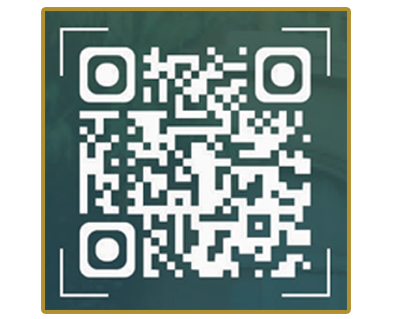
The Electronic Transfer Platform of Ain Shams University is an advanced official platform designed to facilitate the transfer of Egyptian students from other universities and institutes to Ain Shams University. The platform provides a streamlined and user-friendly transfer process, enabling students to submit and track their applications electronically. It caters to various categories of students and incorporates secure electronic payment services. Upon completing the required procedures electronically, students must proceed with the relevant college to complete the required hard-copy documentation and in-person formalities in order for the transfer to be officially finalized. To access the Electronic Transfer Platform, scan the QR code or use the following link: https://ums.asu.edu.eg:7090/ASUTransfer/App
|
Steps for Registering on the Ain Shams University Electronic Transfer Portal |
1. Creating an Account:
Access the Ain Shams University Electronic Transfer Portal, then click “Create a New Account.” Carefully enter your personal information in Arabic, click “Register,” and make sure to retain your password for future use.
2. Logging In:
Enter your National ID Number and password, then click “Log In.” If you forget your password, click “Reset Password” Your password will be reset within a maximum of two working days, and the password will be set to “1”
3. Selecting the Application Type:
(4) windows will be displayed, each containing the available transfer types, along with a file outlining the applicable requirements, rules, and required documents for submitting a transfer application. Students may access the appropriate transfer window based on the date on which they obtained their General Secondary Education Certificate (Thanaweya Amma) or an equivalent qualification.
4. Selecting the Transfer Type and Completing the Application:
After accessing the relevant window, the student must complete all required information, select the applicable student category and type of transfer, upload the required documents in image format, and accept the declaration. The student should then click “Register” to submit the application.
Types of Transfers |
|
One-Time Opportunity This refers to a student who applied through the Coordination Office in the year they obtained their General Secondary Education Certificate, or a student who was nominated for admission to a faculty but did not complete the enrollment procedures during that same year. |
Transfer Cases This refers to a student who did not report to or enroll in the faculty to which they were assigned during the year they obtained their General Secondary Education Certificate, or a student who was nominated for admission to a faculty but did not complete the enrollment procedures during that same year. |
Transfer of Enrollment This refers to transferring a student from the faculty in which they have been enrolled for at least one academic year to another *non-equivalent faculty*, subject to the student’s total score, whether within the same university or at another university. |
|
Dismissed Students A dismissed student is entitled to enroll only in theoretical faculties, namely *Arts, Law, and Commerce, under the **Guided Affiliation system only*, provided that the student obtained the minimum admission score required for the faculty in the year they obtained their General Secondary Education Certificate. |
Holders of Higher Qualifications Some faculties open admission to holders of higher qualifications to pursue academic studies under the Guided Affiliation (Directed Affiliation) system |
Steps for Tracking the Application |
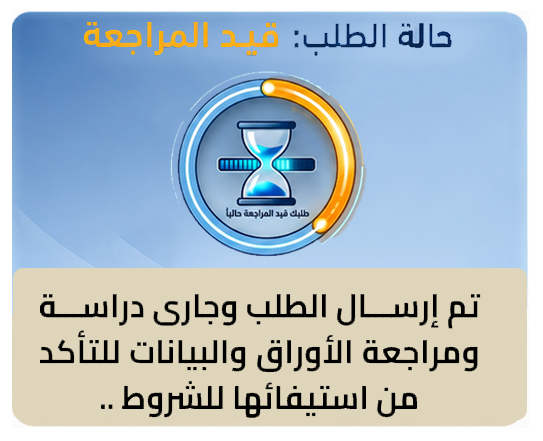
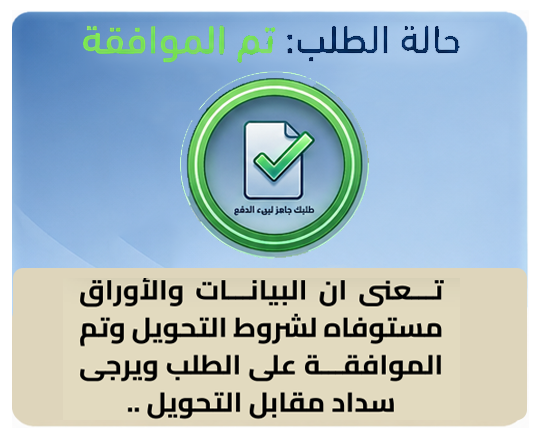
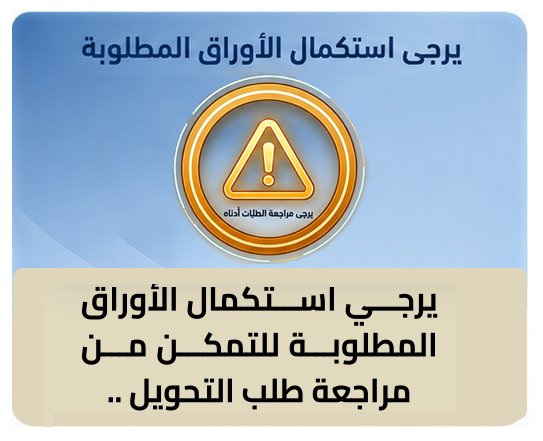
After successfully submitting the application, the application status will be displayed at the bottom of the home page. Students are required to regularly monitor the status of their applications. Please note that a response to the application will be provided within a minimum of three (3) working days, depending on the type and nature of the transfer, in order to proceed with and complete the transfer formalities. The application may appear under several different status categories, as follows:
 |
 |
 |
 |
Required Documents for Transfer |
 |
|
Transfer of Enrollment – Students with Higher Credit Levels – Dismissed Students 1. Copy of the General Secondary Education Certificate or equivalent.
2. Copy of the National ID card.
3. Academic Status Statement or Dismissal Certificate (according to the student’s status), duly certified and stamped by the Dean of the Faculty, and addressed to the faculty to which the student wishes to transfer.
Students Holding Higher Qualifications 1. Graduation Certificate.
2. Birth Certificate.
3. Military Service Certificate for males.
4. Approval from the employer.
5. Copy of the General Secondary Education Certificate or equivalent.
6. Copy of the National ID card.
One-Time Opportunity 1. Copy of the General Secondary Education Certificate or equivalent.
2. Copy of the National ID card.
3. Nomination Card, if applicable.
|
 |
|
Special Tuition-Based Programs / Credit Hour Programs – Language Departments 1. Copy of the Secondary Education Certificate (for General Secondary Education and equivalent certificate students).
2. Final Nomination Card.
3. Copy of the National ID card.
4. Approval of the Dean of the Faculty or a receipt proving payment of the faculty fees (according to the procedures of each faculty).
5. Coordination Office receipt (for students holding equivalent certificates, whether Arab or foreign).
Administrative Transfer 1. Copy of the General Secondary Education Certificate.
2. Final Nomination Card.
3. Copy of the National ID card.
4. Document proving the administrative transfer.
|
 |
|
Students with disabilities or children of persons with disabilities holding a Disability Card – equivalent faculties only 1. Copy of the General Secondary Education Certificate or equivalent.
2. Copy of the National ID card.
3. Medical report for the parent/guardian or student.
4. Disability Card for the parent/guardian or student, as applicable.
5. Academic Status Statement covering the student’s years of study, duly certified by the Dean of the faculty from which the student is transferring.
6. Copy of the parent/guardian’s National ID card.
7. Nomination Card for newly admitted students for the current academic year.
Students with Special Needs – 50% of the Total Score 1. Copy of the General Secondary Education Certificate or equivalent.
2. Copy of the National ID card.
3. Disability Card, if available.
4. Certified medical report confirming a physical disability or visual impairment.
5. Recent intelligence test from Ain Shams University Hospitals for students enrolled under the inclusive education system.
6. Recent hearing assessment for deaf and hard-of-hearing students from Ain Shams University Hospitals.
Medical Examination Committee 1. Copy of the General Secondary Education Certificate or equivalent.
2. Copy of the National ID card.
3. Copy of the Birth Certificate.
4. Certified medical report.
5. Nomination Card for newly admitted students.
6. Academic Status Statement, duly stamped and certified by the Dean of the faculty from which the student is transferring.
Ain Shams University has designated computer labs to assist its students with disabilities with coordination and transfer procedures There are computer labs inside the Faculty of Arts (Vision Center), as well as labs behind the Faculty of Science (new computer lab) |
Important Guidelines |
1. Personal information must be entered in Arabic, and the student’s full four-part name must be entered exactly as stated on the National ID Card and Birth Certificate.
2. The National ID Number must be entered accurately and must belong to the student personally, not to a parent, guardian, or any other person.
3. Only one account may be created using a given National ID Number.
4. The student’s mobile phone number must be entered correctly to facilitate communication. Where possible, the number should have WhatsApp enabled.
5. All required fields must be completed when submitting the application, and the documents required for the transfer must be uploaded in image format.
6. Students who obtained their General Secondary Education Certificate (Thanaweya Amma) or an equivalent qualification in previous years and are transferring from another university must ensure that their academic status statement is addressed to the college to which they seek to transfer at Ain Shams University. The statement must bear the official seal and be duly certified by the Dean or Vice Dean of the college from which the student is transferring, and must expressly state: “The college has no objection to the transfer.”
7. Transfer approval shall not be deemed final until the original documents have been reviewed and verified by the relevant college. If any documents are found to be invalid or inaccurate, the transfer shall be cancelled, and the student shall bear full responsibility for the consequences.
8. Students must retain the transfer fee payment receipt.
9. Students must ensure that they register through the correct transfer category/window corresponding to their student status and type of transfer in order to successfully complete the transfer procedures.
10. The transfer service fee is non-refundable if the student subsequently decides not to proceed with the transfer.
11. For certain types of transfers, such as transfers involving holders of higher academic qualifications, the transfer application may be cancelled once the college has reached the required number of students.
Note:
Transfers of international students are handled exclusively through the General Administration for the Admission and Scholarships of International Students.
 |


Contact Numbers for Ain Shams University Transfer Office Team |
For inquiries and complaints, the Transfer Office Team can be contacted Sunday through Thursday, from 9:00 a.m. to 6:00 p.m
| Evening Programs & Language Sections – Recent High School Graduates and Equivalents – Coordination Office | 01559007892 - 01220099092 |
| Faculty of Business | 01507520252 |
| Faculties of Arts and Mass Communication | 01148661000 |
| Faculties of Al-Alsun, Education, and Specific Education | 01149919611 |
| Faculties of Archaeology and Veterinary Medicine | 01148661000 |
| Faculties of Engineering, and Computer & Information Sciences | 01507815632 |
| Facultyof Agriculture | 01144338362 |
| Faculties of Medicine, Dentistry, and Pharmacy | 01559007892 |
| Faculty of Nursing and Nursing Institute | 01206136651 |
| Faculties of Sciences, Women | 01029901051 |
| Faculty of Law | 01557742946 |
| Students with Disabilities and Children of Persons with Disabilities / Medical Cases | 01064532393 - 01003215838 01063673132 - 01020111276 |
| Technical Support for transfer websites (whatsapp) | 01559007893 |
| Complaints | Info@students.asu.edu.eg |
